Best Seller Icon Bestseller

MS OFFICE In MS OFFICE(S-MMO-1409)

  • Last updated Aug, 2026
  • Certified Course
₹4,500 ₹15,000

Course Includes

  • Duration1 Month
  • Enrolled0
  • Lectures3
  • Videos0
  • Notes0
  • CertificateYes

What you'll learn

Module 1: Computer & MS Office Fundamentals

  • Introduction to computers
  • Hardware and software basics
  • Operating system fundamentals
  • Introduction to MS Office
  • MS Office applications and uses
  • File and folder management
  • Creating, saving, opening and printing files
  • Common keyboard shortcuts

Module 2: MS Word – Document Creation

  • Introduction to MS Word
  • Word interface and workspace
  • Creating and editing documents
  • Text selection and editing
  • Fonts and text formatting
  • Paragraph formatting
  • Alignment, indentation and spacing
  • Bullets and numbering
  • Find and Replace
  • Page setup and margins

Module 3: MS Word – Advanced Features

  • Tables and table formatting
  • Images and shapes
  • SmartArt and WordArt
  • Headers and footers
  • Page numbers
  • Styles and templates
  • Columns and page breaks
  • Mail Merge
  • References and hyperlinks
  • Printing and PDF conversion
  • Practical: Resume, business letter and official report

Module 4: MS Excel – Basics

  • Introduction to MS Excel
  • Workbook and worksheet
  • Rows, columns and cells
  • Data entry and editing
  • Cell formatting
  • Number, date and currency formats
  • Basic formulas
  • Relative and absolute cell references
  • AutoFill and Flash Fill
  • Basic worksheet management

Module 5: MS Excel – Formulas & Functions

  • SUM, AVERAGE, COUNT, MIN and MAX
  • IF function
  • AND and OR functions
  • COUNTIF and SUMIF
  • VLOOKUP/XLOOKUP basics
  • Text functions
  • Date and time functions
  • Sorting and filtering
  • Conditional formatting
  • Data validation

Module 6: MS Excel – Data Analysis

  • Charts and graphs
  • Column, bar, pie and line charts
  • Pivot Tables
  • Pivot Charts
  • Subtotals
  • Basic data analysis
  • Page layout and printing
  • Protecting worksheets
  • Practical: Marksheet, salary sheet, invoice and expense report

Module 7: MS PowerPoint – Presentation Basics

  • Introduction to PowerPoint
  • Creating presentations
  • Slide layouts
  • Themes and templates
  • Adding and formatting text
  • Images and shapes
  • Tables and charts
  • SmartArt and WordArt
  • Slide organization

Module 8: MS PowerPoint – Advanced Presentation

  • Slide transitions
  • Animations
  • Audio and video
  • Hyperlinks and action buttons
  • Slide Master
  • Headers and footers
  • Presentation and slideshow settings
  • Professional presentation techniques
  • Practical: Business/educational presentation

Module 9: MS Office Productivity Tools

  • Office templates
  • Document sharing
  • Basic cloud/file management concepts
  • PDF creation and conversion
  • Printing and page setup
  • Common Office keyboard shortcuts
  • Basic data protection and document security

Module 10: Practical Projects

  • MS Word: Resume, application letter and business report
  • MS Excel: Marksheet, payroll/salary sheet and sales report
  • MS PowerPoint: Company profile or educational presentation
  • Integrated MS Office project
  • Final practical assessment

Course Outcome

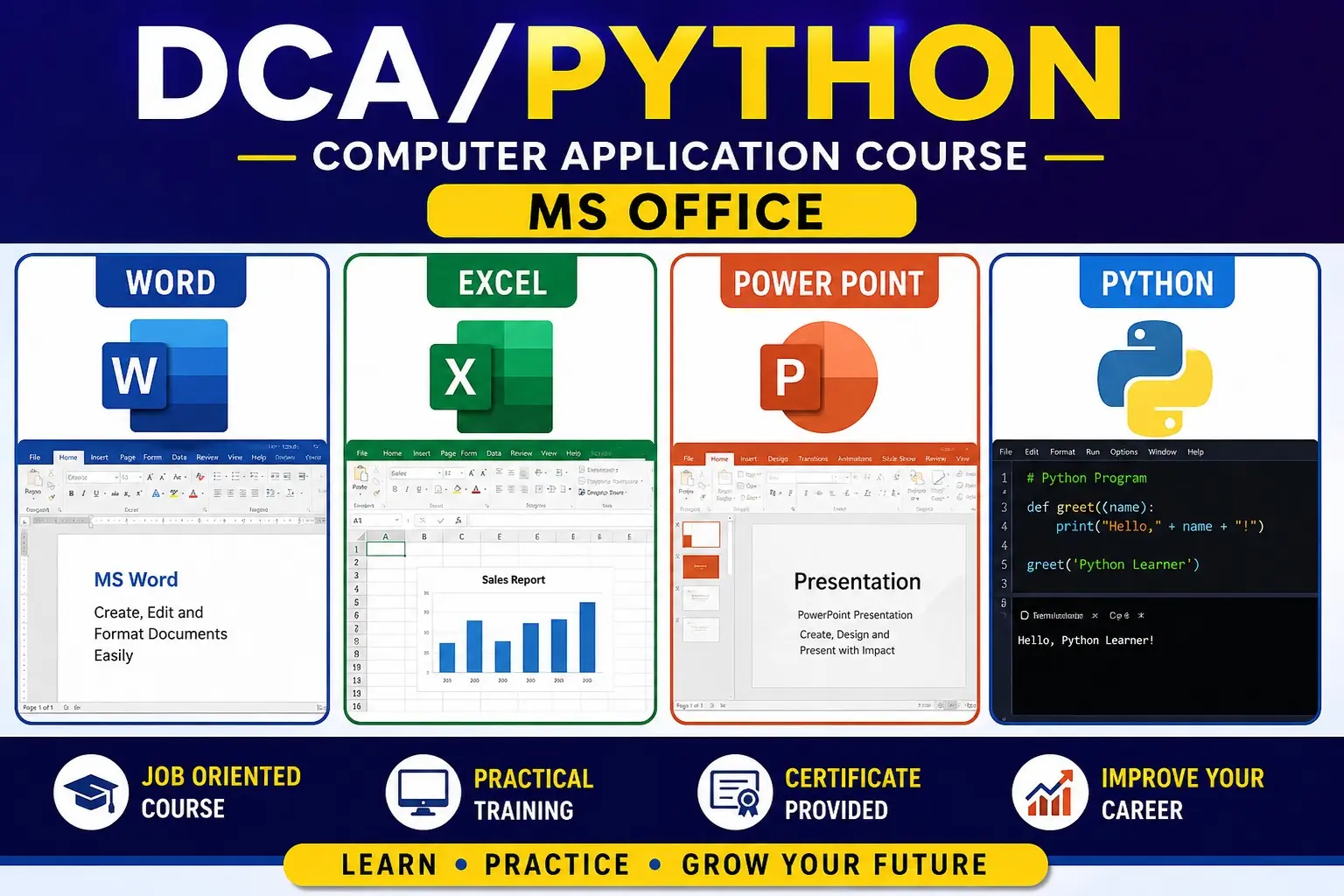
After completing the course, learners will be able to create professional documents in MS Word, prepare calculations and reports using MS Excel, and design effective presentations using MS PowerPoint, along with essential office productivity skills.


Show More

Course Syllabus

Module 1: Computer & MS Office Fundamentals

  • Introduction to computers and operating systems
  • Introduction to MS Office
  • MS Office applications and their uses
  • File and folder management
  • Creating, opening, saving and printing files
  • Common keyboard shortcuts
  • Basic office productivity skills

Module 2: MS Word – Document Creation

  • Introduction to MS Word
  • Word interface and workspace
  • Creating and editing documents
  • Text selection and editing
  • Font formatting
  • Paragraph formatting
  • Alignment, indentation and spacing
  • Bullets and numbering
  • Find and Replace
  • Page setup and margins

Module 3: MS Word – Advanced Features

  • Tables and table formatting
  • Inserting pictures and shapes
  • SmartArt and WordArt
  • Headers and footers
  • Page numbering
  • Styles and templates
  • Columns and page breaks
  • Mail Merge
  • Track Changes and comments
  • Printing and PDF conversion
  • Practical: Resume, official letter and business document

Module 4: MS Excel – Basics

  • Introduction to MS Excel
  • Workbook and worksheet
  • Rows, columns and cells
  • Data entry and editing
  • Cell formatting
  • Number, date and currency formats
  • Row and column management
  • Basic formulas
  • Relative and absolute cell references
  • Worksheet management

Module 5: MS Excel – Formulas & Functions

  • SUM, AVERAGE, COUNT
  • MAX and MIN
  • IF function
  • COUNTIF and SUMIF
  • Basic text functions
  • Date and time functions
  • Mathematical functions
  • Logical functions
  • Formula error handling
  • Practical: Marksheet and salary calculation

Module 6: MS Excel – Data Management & Analysis

  • Sorting and filtering
  • Conditional formatting
  • Data validation
  • Removing duplicates
  • Tables
  • Charts and graphs
  • Pivot Tables
  • Basic data analysis
  • Page setup and printing
  • Practical: Sales and expense report

Module 7: MS PowerPoint – Presentation Basics

  • Introduction to PowerPoint
  • Creating presentations
  • Slides and layouts
  • Themes and templates
  • Adding and formatting text
  • Images and shapes
  • Tables and charts
  • SmartArt and WordArt
  • Slide organization

Module 8: MS PowerPoint – Advanced Presentation

  • Transitions
  • Animations
  • Animation Pane
  • Audio and video insertion
  • Hyperlinks and action buttons
  • Slide Master
  • Headers and footers
  • Presentation and slideshow settings
  • Printing handouts
  • Practical: Professional business presentation

Module 9: MS Office Integration & Productivity

  • Using Word, Excel and PowerPoint together
  • Copying and linking data between applications
  • Embedding Excel data in Word
  • Creating charts for reports
  • PDF creation and conversion
  • Document sharing and collaboration
  • Office templates
  • Professional document management

Module 10: Practical Projects

  • MS Word: Resume, application letter and business report
  • MS Excel: Marksheet, salary sheet, invoice and sales report
  • MS PowerPoint: Business/educational presentation 


Eligibility

Who can apply for this course

5TH PASS

Course Fees

Course Fees
:
₹15000/-
Discounted Fees
:
₹ 4500/-
Course Duration
:
1 Month

Review

0.0
Course Rating (0 reviews)
0%
0%
0%
0%
0%


Call
Text Message
Review
Email
CHAT